Dictation and call transcripts, made on your Mac.
We never receive your recordings. Hold a key, talk, paste the text. Record calls without a bot — and tell people you’re recording. $39 once.
Using Windows? Saykeep is a Mac app. Saykeep for Windows is in testing — join the list and we email you once, when it ships.
On your phone? Saykeep is a Mac app — send yourself the link
Apple Silicon · macOS 14.2 or later · 329 MB download + about 4.7 GB of speech models on first run · Windows: in testing — join the list
Signed with an Apple Developer ID and notarized by Apple · every connection listed at saykeep.app/network
A demo with one fixed sentence: no microphone, nothing is recorded. Hold the key, or Space, let go, and the sentence lands about a second later.
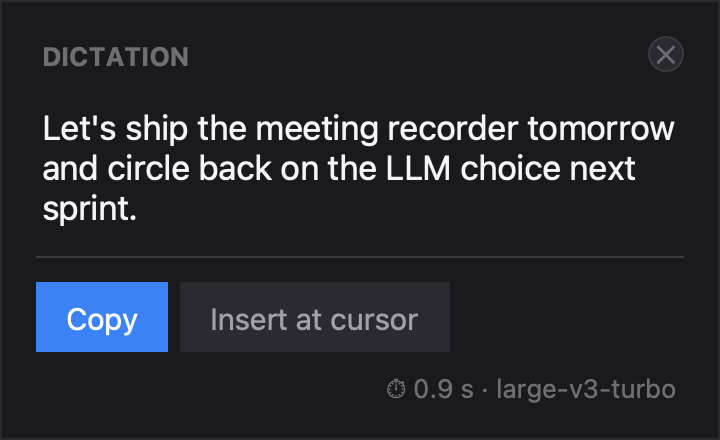
Hold a key, speak, release.
Hold the key you chose and speak. About a second after you let go, once the model is warm, the text is on your clipboard, ready to paste into any app. Choose Settings ▸ Privacy & Storage ▸ Dictated text ▸ “Insert it where my cursor is” and Saykeep pastes it where you were typing.
It listens only to your microphone and keeps only the text — no audio file is written (a debugging option that keeps your last 20 clips is off by default). Dictation never starts the system-audio capture.
Let's move the review to Thursday. The updated deck is ready and legal signed off this morning.
⌥ held · you speak⌥ released⌘V · from your clipboard, about a second after you let go
- 0.89 s
- median decode time, model warm
- ~5%
- words wrong on read speech, English and Polish — measured
How it was measured
The on-device decode of a dictation of up to 30 seconds, once the model is warm: median 0.89 s across 101 dictations from the developer’s own logs on one Apple M5 Mac (32 GB), Whisper large-v3-turbo on the GPU — fastest 0.6 s, slowest 10.5 s, measured before the text is pasted. Longer dictations take proportionally longer; there is no cap. On a memory-pressured Mac the first dictation after a long idle has taken several seconds longer while macOS paged the model back in; since 0.3.7 that reload starts the moment you press the key (not yet re-measured).
The default models on a 100-sentence sample of the public FLEURS test set per language (read speech, not meeting audio), transcribed on one Apple M5 Mac with stock settings: roughly one word in twenty wrong, in both languages. Names and specialist terms are where any model slips; that is what the custom vocabulary is for.
No bot in the call. Made on your Mac.
Start a recording and Saykeep captures your mic and what your Mac plays, straight from macOS: Zoom, Meet, Teams, a Slack huddle, a browser tab. No bot joins the call, and there’s no audio driver to install. After the call you get the transcript with who said what, as ordinary files.
You get the full transcript and who said what — not ready-made notes. For the client calls you’d rather not send to a notetaker’s cloud.
For your first meeting, macOS asks for System Audio Recording and your Documents folder.
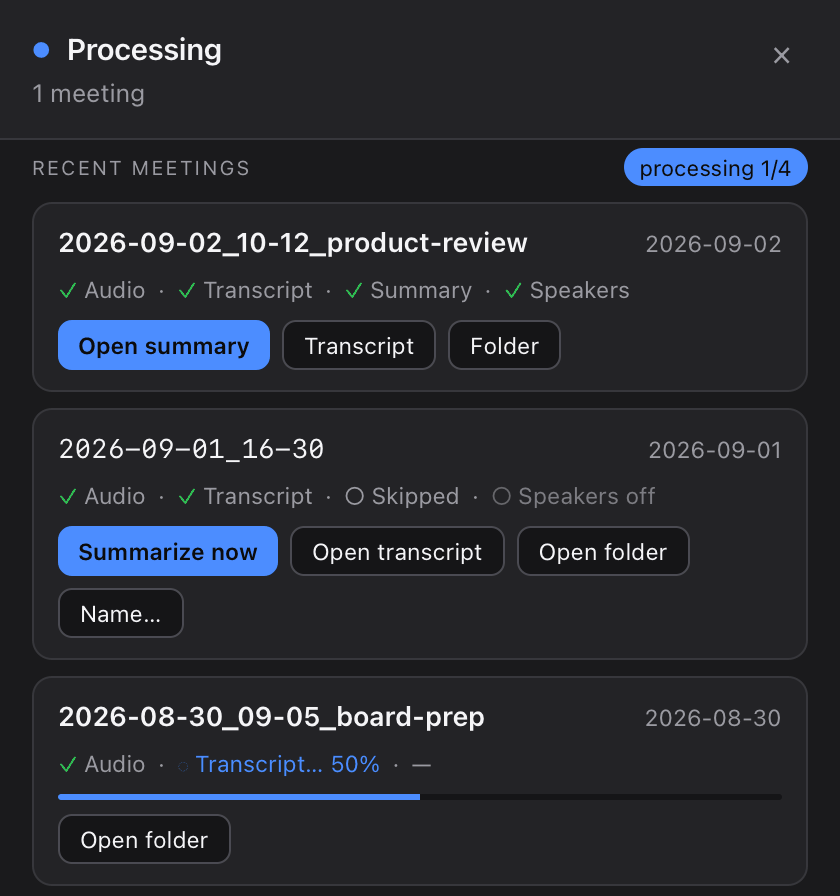
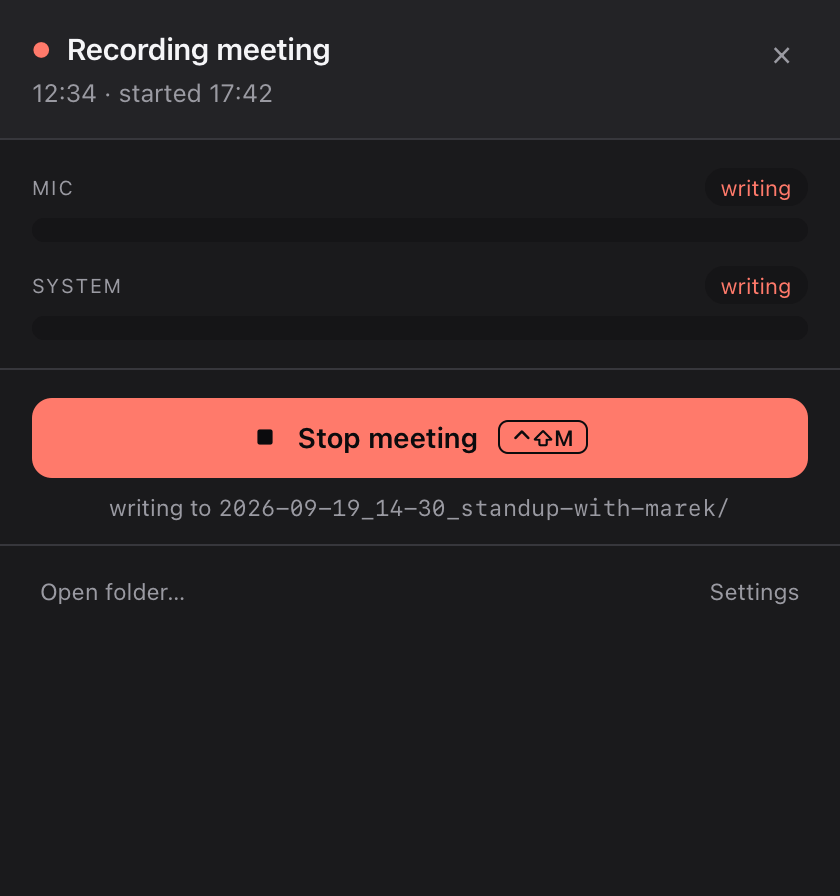
Demo is sped up. An hour of call on an M5: ~35 min with speaker labels, 3–7 min without.
transcript.md
[00:04] You: Scope locks Friday, then the beta ships. Charlotte, can you write the announcement? Sebastian, the setup guide?[00:11] Speaker 1:Charlotte: Sure, I'll write it.[00:19] Speaker 2:Sebastian: Ready by Friday.
sample meeting · you name the speakers
summary.md
only with a model you connect## Topics- The beta ships once scope is locked.## Decisions- [Decided]: Lock the scope on Friday.## Action items- [Charlotte]: Write the announcement.- [Sebastian]: Have the setup guide ready by Friday.
They removed the bot. We removed the cloud.
Things to know first.
Apple Silicon Macs only
An Apple Silicon Mac (M1 or later) with macOS 14.2 or later. Intel Macs are not supported. Macs with 8 GB of memory: not measured yet, so try it free first.
About 4.7 GB of speech models, once
The first run downloads about 4.7 GB of speech models, once, with a progress bar. Have about 5 GB free.
Three permissions, plus two questions
The permissions: Accessibility, Microphone and System Audio Recording. The questions: notifications, and your Documents folder. Accessibility, which the hold-to-talk key needs, you switch on by hand — setup opens the page and checks it for you. macOS asks for the Microphone the first time you dictate, and whether Saykeep may send notifications: allow it, that’s how Saykeep tells you when something needs attention. At your first meeting it asks whether Saykeep may use your Documents folder, where recordings are saved, and whether it may record system audio. Click Allow both times: without the Documents folder the meeting can’t be saved, and without System Audio Recording only your microphone is recorded.
Summaries need a model you connect
Without a model you still get the full transcript with speaker labels. For summaries, connect a free one on your Mac (LM Studio or Ollama), or your own API key, which sends the transcript text, plus your name and “about you” note if you filled them in, to that provider. ChatGPT Plus doesn’t include API access.
Your files are ordinary files
They live in ~/Documents/Saykeep, a folder per meeting. If your Mac syncs Desktop & Documents to iCloud, they sync to your own iCloud account too; we never receive them.
Transcripts arrive after the call
About 35 minutes per meeting-hour with speaker labels, which are on by default, or about 3–7 minutes with them switched off, on the M5 we measured; older Macs are slower and not measured yet. If another call starts or ends while Saykeep records, macOS audio can drop for a few minutes — Saykeep tells you and keeps recording.
Don’t trust us. Verify.
Speech-to-text, transcripts and speaker labels are made on your Mac (once the models are downloaded, with the network off), and we never receive your recordings or transcripts. Every connection the app can make is listed, so you can check it yourself with LuLu or Little Snitch.
Every connection, when it happens, what it sends, and how to check for yourself →
$39 once. Nothing renews.
One payment. All features. Every machine you personally use.
Before you buy: needs an Apple Silicon Mac (M1 or later), macOS 14.2+, and about 5 GB of speech models downloaded on first run. 8 GB Macs: not measured yet; MacBook Neo: not tested — try it free first. Call transcripts arrive after the call: about 35 minutes per meeting-hour on an M5 with speaker labels, or about 3–7 minutes with them switched off. Summaries need an AI model you connect; without one you get transcripts with speaker labels. Only have a Windows PC? Don’t buy yet — join the list.
Your key is emailed by hand, usually within a day; use the trial meanwhile.
What two years cost elsewhere, your key, several Macs, updates, refunds and invoices →
Three questions before you buy
When do I get my key?
By email from Piotr Januszek, sent by hand, usually within a day; use the trial meanwhile. There’s no activation server, which is also why the key is checked on your Mac. The full answer →
Does my ChatGPT Plus work for summaries?
No: ChatGPT Plus doesn’t include API access. Use a free model on your Mac (LM Studio or Ollama) or your own API key; without one you still get the full transcript with speaker labels. The full answer →
Is it legal to record my calls?
It depends on where you and the other people are: some places need everyone’s consent. Saykeep’s recording indicator shows on your screen only, so tell the others. One sentence that works: “I’m recording this for my notes, on my computer — is that OK?” General information, not legal advice. The full answer →
Try it on your own calls, free for 30 days.
“I built Saykeep because I wanted dictation and call notes that don’t go through someone else’s servers. I use it for my own calls.”
— Piotr Januszek, maker of Saykeep